By mathematically mapping the color space of your camera to match RED's color science, we have created a workflow that tricks the eye. Now, your footage doesn't just look "good"—it looks like it was shot on a high-end cinema rig.
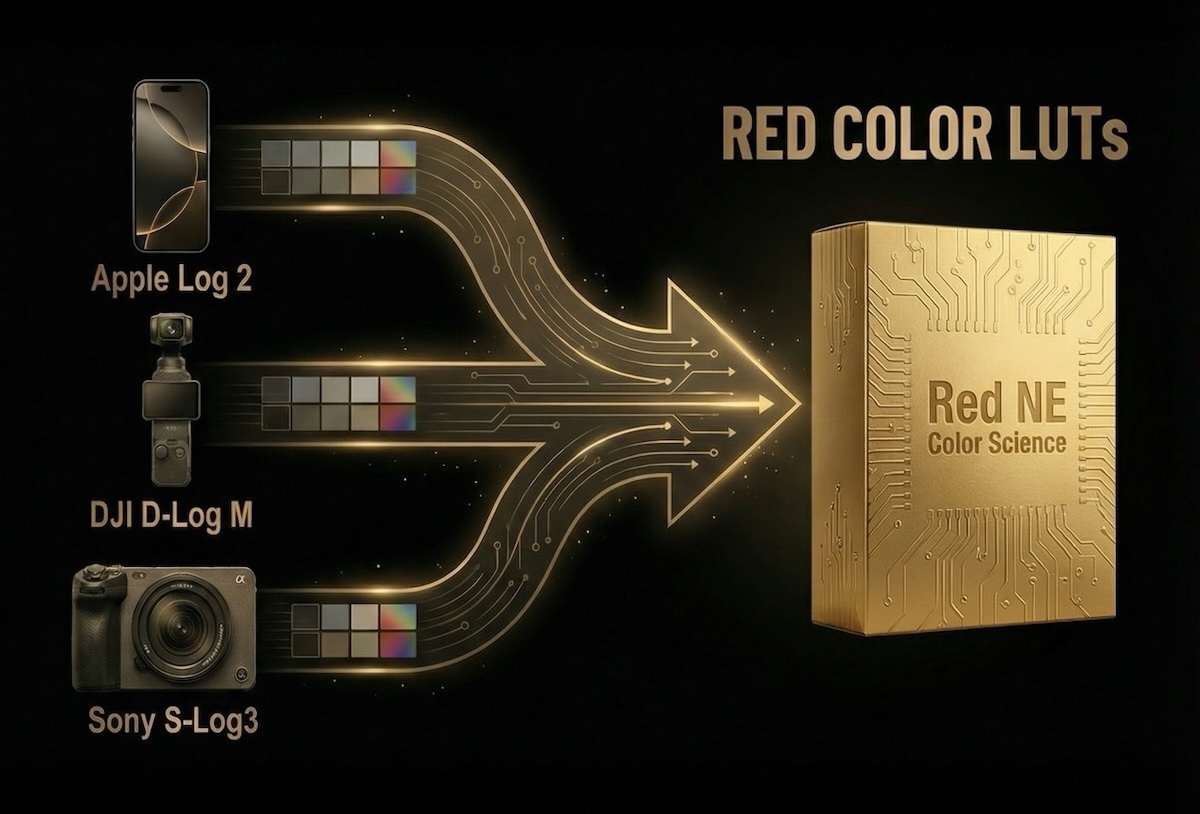
Every camera manufacturer renders colors differently. Sony tends to be cooler/magenta, DJI can be digital and sharp, and the iPhone—while amazing—still has that "smartphone" feel. We took on the ultimate challenge: We perfectly matched these consumer and prosumer cameras to the legendary RED NE color profile.
We have developed three specific conversion LUTs designed to handle the Log profiles of today's most popular cameras:
1. Instant Cinematic Results
As mentioned in the video, the first major advantage is purely aesthetic. Your footage gains the high-quality color science associated with Hollywood productions. We aren't just slapping a filter on top; we are correcting the underlying color values to mimic how a RED camera interprets light and saturation.
2. The Perfect "B-Cam" Match
This is a game-changer for professional editors and colorists. If you are already shooting with a RED camera as your "A-Cam," you know the struggle of trying to match a GoPro, Drone, or iPhone shot to your main footage.
With these LUTs, you can match all your other cameras to the RED profile with just a single click. This provides a seamless visual experience for the audience—they won't be able to tell which shot came from which camera. It makes color grading faster, easier, and much more consistent.
How to Get the Look
You don't need to be a professional colorist to achieve this result.
That’s it. You are now grading on a RED baseline.
Which editing software can I use these LUTs with?
Our RED LUTs come in the industry-standard .cube format. They are compatible with all major video editing software, including DaVinci Resolve, Adobe Premiere Pro, Final Cut Pro X, Sony Vegas, and even mobile editing apps like LumaFusion and the Blackmagic Camera App on iPhone.
Do I need to shoot in Log for these LUTs to work?
Yes. These LUTs are technically engineered to convert specific Log color spaces into the RED profile.
How is this different from a standard creative filter?
Most filters just add a colored overlay to your image. Our LUTs are Color Space Transforms. They mathematically remap the specific color science of your sensor (how it sees red, green, and blue) to match the color science of a RED Cinema Camera. It fixes the foundation of your image first, giving you a better starting point for grading.
I have a RED camera. Will this help me?
Absolutely. This is one of the biggest advantages. If you use a RED camera as your "A-Cam" and an iPhone or Drone as a "B-Cam," these LUTs will unify your timeline. You won't have to spend hours trying to make the drone shots look like the cinema camera shots—the LUT does the matching for you instantly.
Are these LUTs difficult to use for beginners?
Not at all. The workflow is designed to be "One-Click." Once you import the LUT into your editor, you simply apply it to your clip. The only adjustment you usually need to make is to your Exposure/Brightness, depending on how bright or dark you filmed your scene.
How do I receive the LUTs after purchase?
Delivery is instant. Immediately after purchase at cinema-luts.com, you will receive a download link containing the pack with all three versions (Apple Log 2, D-Log M, and S-Log3).
RED® is a registered trademark of RED Digital Cinema, LLC. This product is independently developed by Cinema-LUTs and is not affiliated with, endorsed by, or associated with RED Digital Cinema. All mentions of camera brands and models are strictly for descriptive purposes to indicate compatibility and color emulation.
Discover more LUTs now
CINEMA LUTS PRO+
Turn your footage into cinematic masterpieces with our 1-Click solution LUTs. Over 30 handcrafted presets are waiting for you!
© cinema-luts.com
Imprint - Privacy Policy - Cookies - EAA - Blog